 Atelier Studio
Everything your novel needs to remember.
A native macOS writing studio with a full story bible, relationship mapping, POV tracking and your choice of AI — all stored locally on your Mac.
Your manuscript is a file on your Mac. No account required, no subscription, works offline.
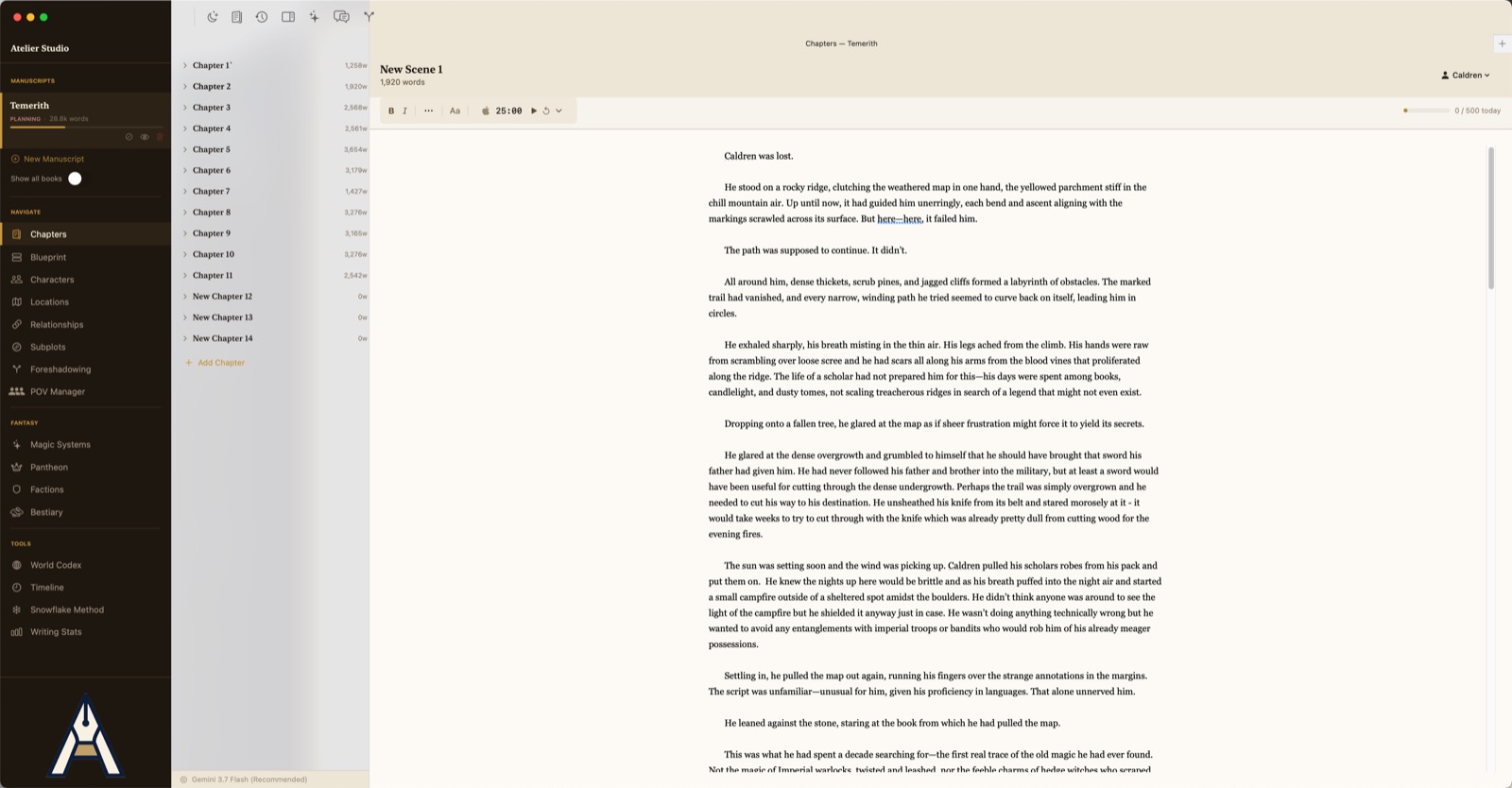
Where the writing happens
A writing app first.
Chapters and scenes down one side, prose down the middle, and everything else out of the way. Scenes are the unit you edit; the chapter is just the container. Set the point-of-view character from the scene header, watch a daily word goal fill, and run a timer if that's how you work.
- Typographic control over line height, first-line indent, paragraph spacing and measure — a view preference, never baked into your file
- Smart quotes and em-dashes on by default; autocorrect off, because fiction needs the first and not the second
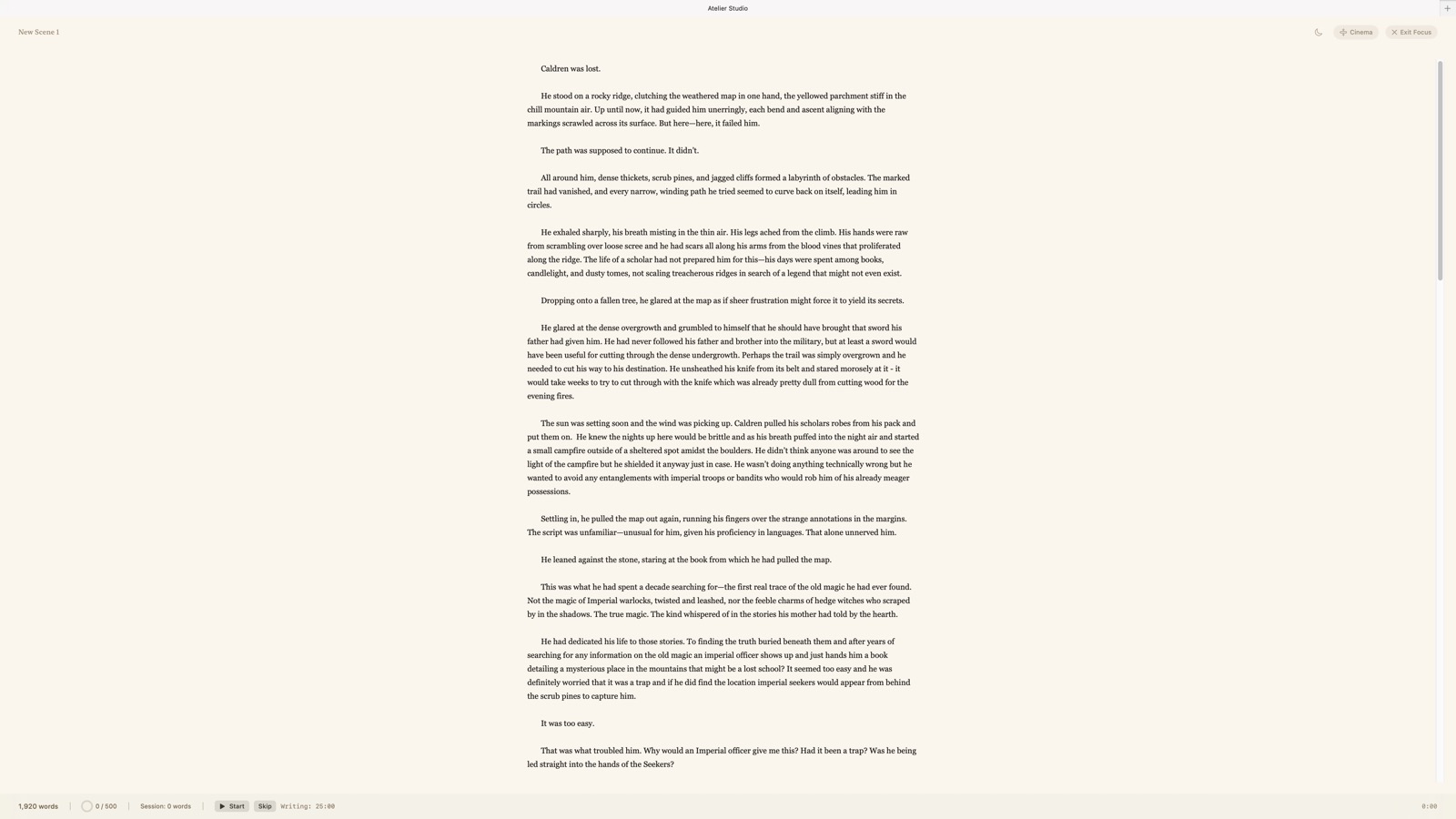
- Focus mode ⌥⌘F takes over the whole window
- Continuous read ⌥⌘R stitches a chapter — or the whole book — into one uninterrupted read
The real failure mode
The things that kill a draft aren't typos.
They're tracking problems, and they get worse the more ambitious the book is. Each one below has a tool pointed straight at it.
A viewpoint character disappears for nine chapters and nobody notices until the beta reader does.
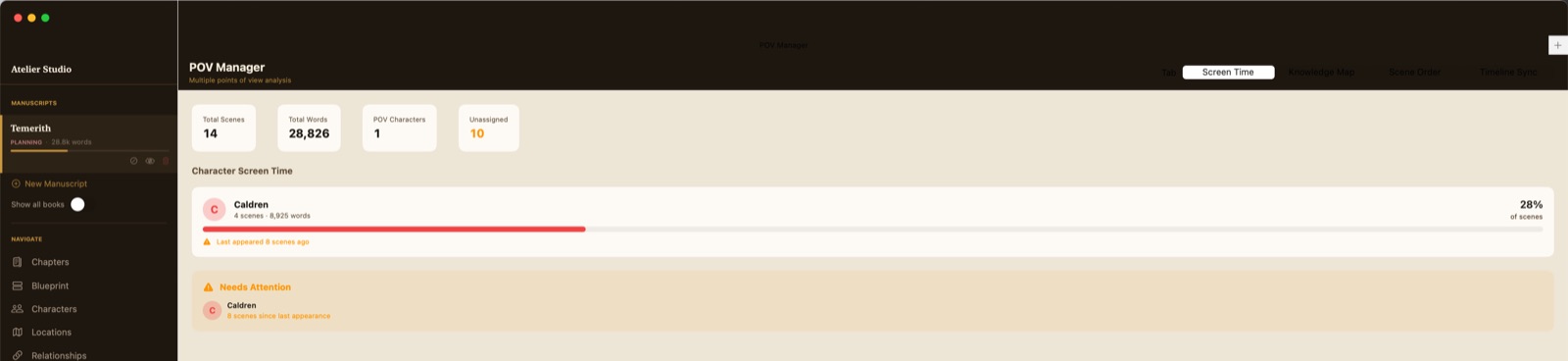
Screen Time — words and scenes per POV, with a balance score that flags any viewpoint that's been away too long.
A secret is revealed in chapter four and referenced as unknown in chapter eleven.
Knowledge Map — records who knows each fact, who explicitly doesn't, and the scene where it broke.
A planted clue never pays off.
Foreshadowing — link a setup to its payoff and see at a glance what's still unresolved.
Two factions' timelines silently contradict each other.
Timeline — scenes ordered by in-story chronology instead of chapter order, so overlaps surface.
Chapter two is wrong, and rewriting it means losing the version that had the good paragraph.
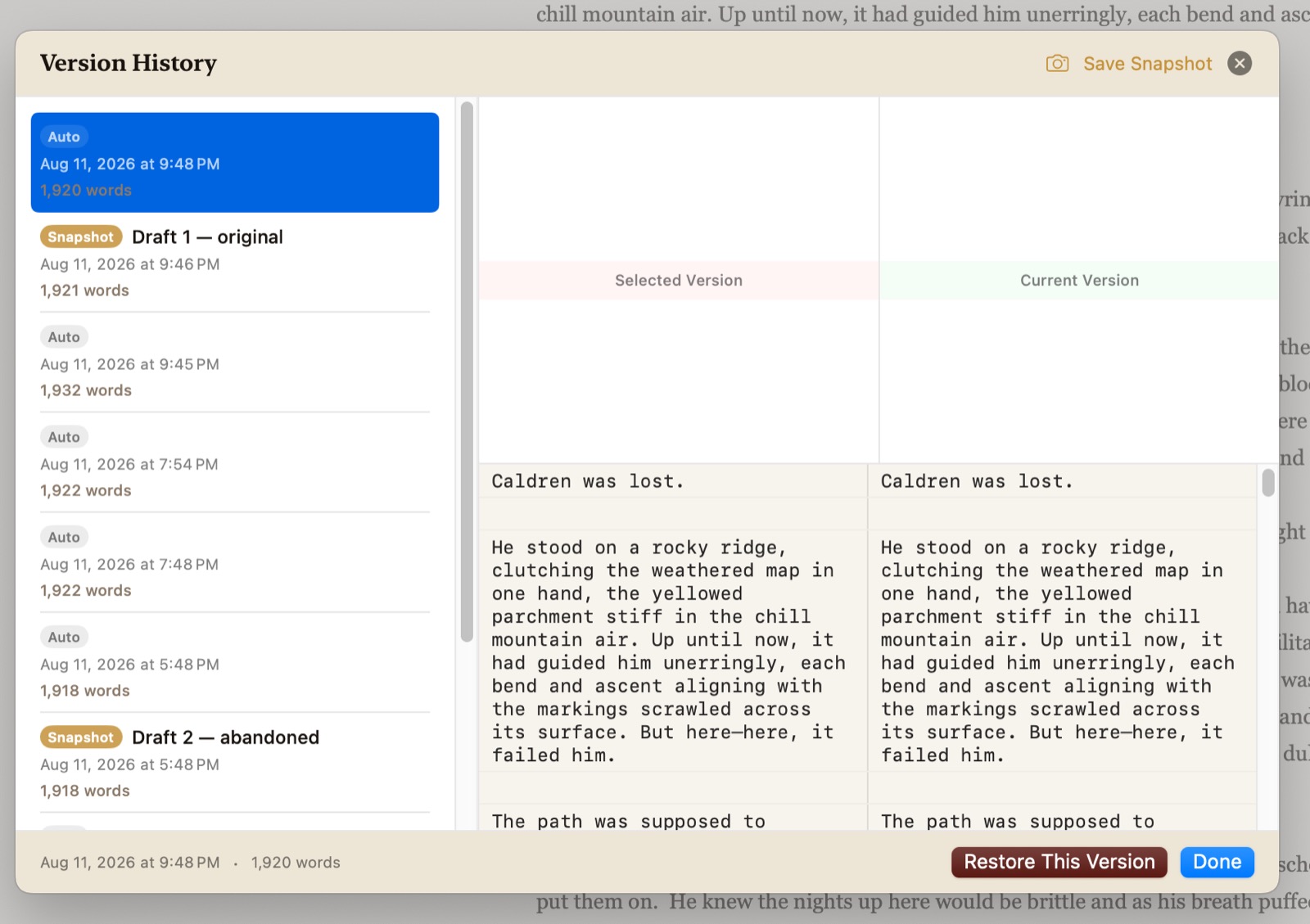
Version history ⌥⌘H — every scene snapshot kept, with a side-by-side diff and one-click restore.
Three apps: a word processor, a wiki, and a spreadsheet. None of them talk to each other.
One library — prose, story bible and continuity in a single local file.
The part no other writing tool does
Point of view as a knowledge state, not a label.
Every other app treats POV as a tag on a scene. Dramatic irony, suspense, and the "why didn't these two just talk to each other" plot hole are all functions of who knows what, and when. In a single-POV novel you hold that in your head. In an ensemble epic, you can't.
Four tools on one screen
- Screen Time — words and scenes per POV character, with a balance score.
- Knowledge Map — tag a fact as a secret, revelation, clue, backstory, prophecy or misdirection, then record exactly who knows it.
- Scene Order — detects consecutive same-POV runs and flags where interleaving would build tension.
- Timeline Sync — finds scenes happening simultaneously across different viewpoints.
Chronology, separately from chapter order
The timeline arranges scenes the way the story happens rather than the way it's told, so contradictions between two threads surface instead of hiding.

Story bible
Structured records, not a pile of wiki pages.
Relationships
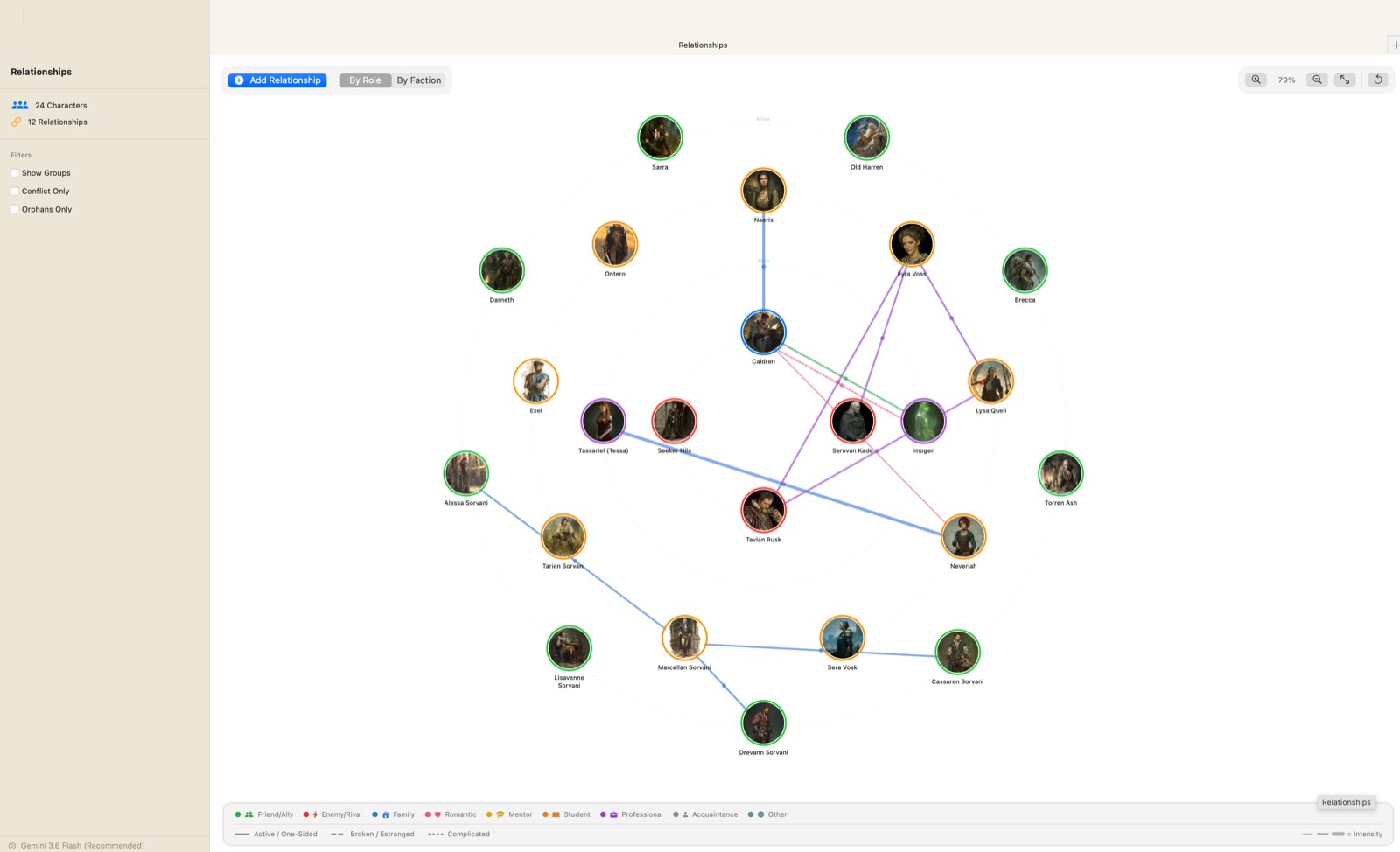
Your whole cast, as a map
An interactive graph of everyone in the book, with their portraits on the nodes. Lay it out in concentric rings by narrative role, or cluster it by faction with the groups drawn in behind. Filter to conflicts only, or to the characters nobody is connected to yet — usually the ones you've forgotten about.
Characters
Dossiers deep enough to write from
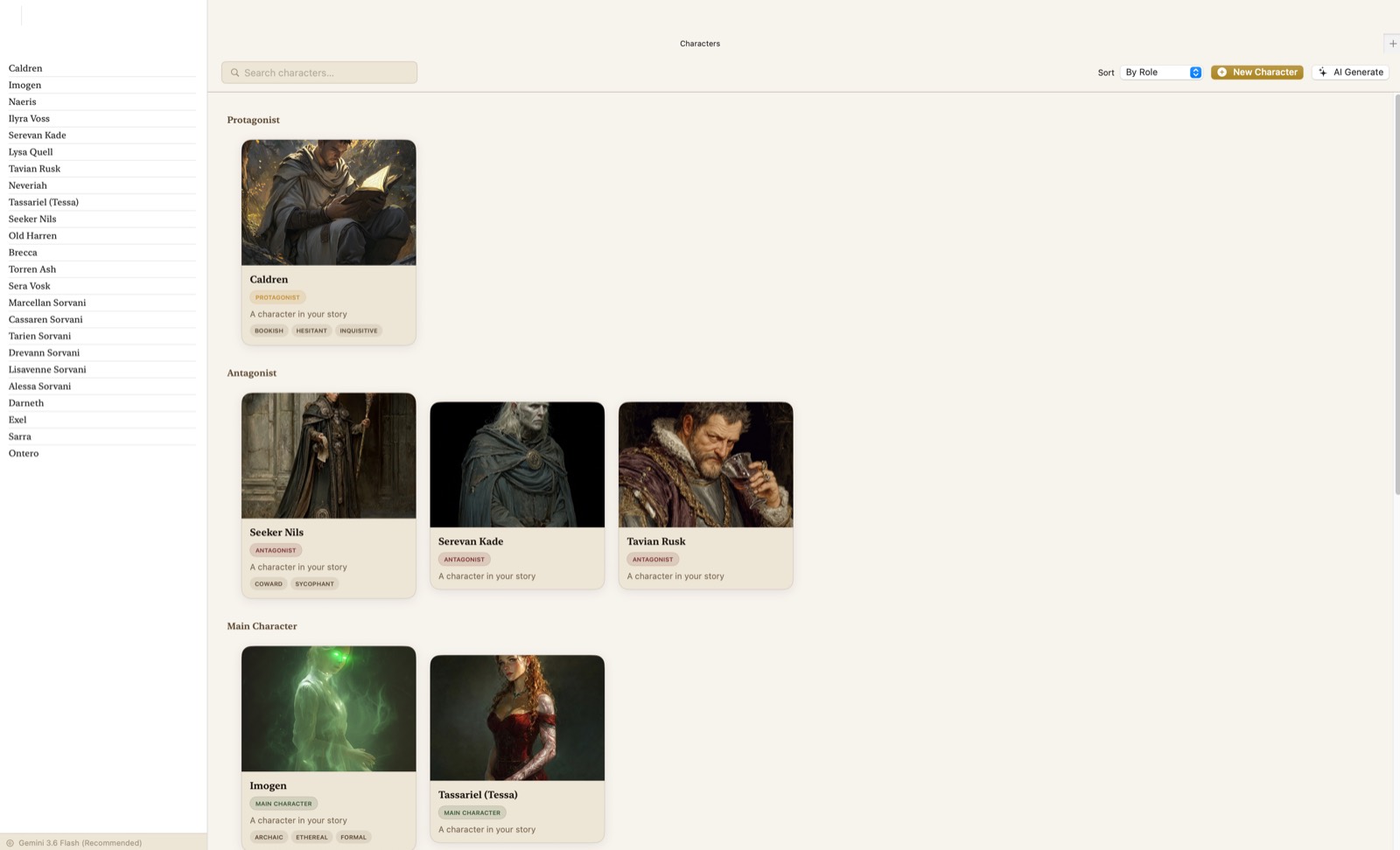
Portraits, traits, goals, fears, secrets, speech patterns, personality profiles, character arcs, questionnaires and casting notes — grouped by narrative role so the cast reads as a structure rather than a list.
- A world codex for everything else
- Typed relationships between characters
Locations
Every place, with a picture and a pin
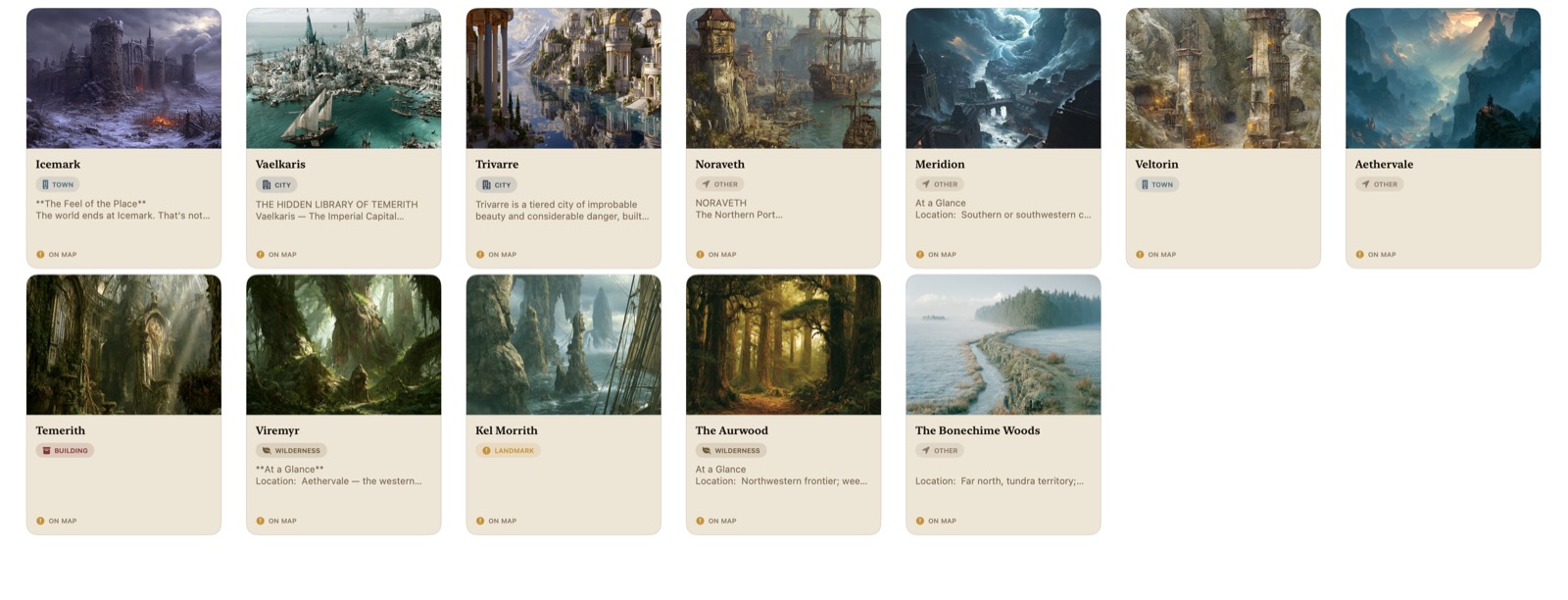
Location dossiers carry their own images, notes and map coordinates, and each one is typed — city, town, building, wilderness, landmark — so a sprawling world stays navigable. Anything you've placed shows an on map badge and appears on the world map alongside the rest.
Planning
A visual outline that knows about scenes
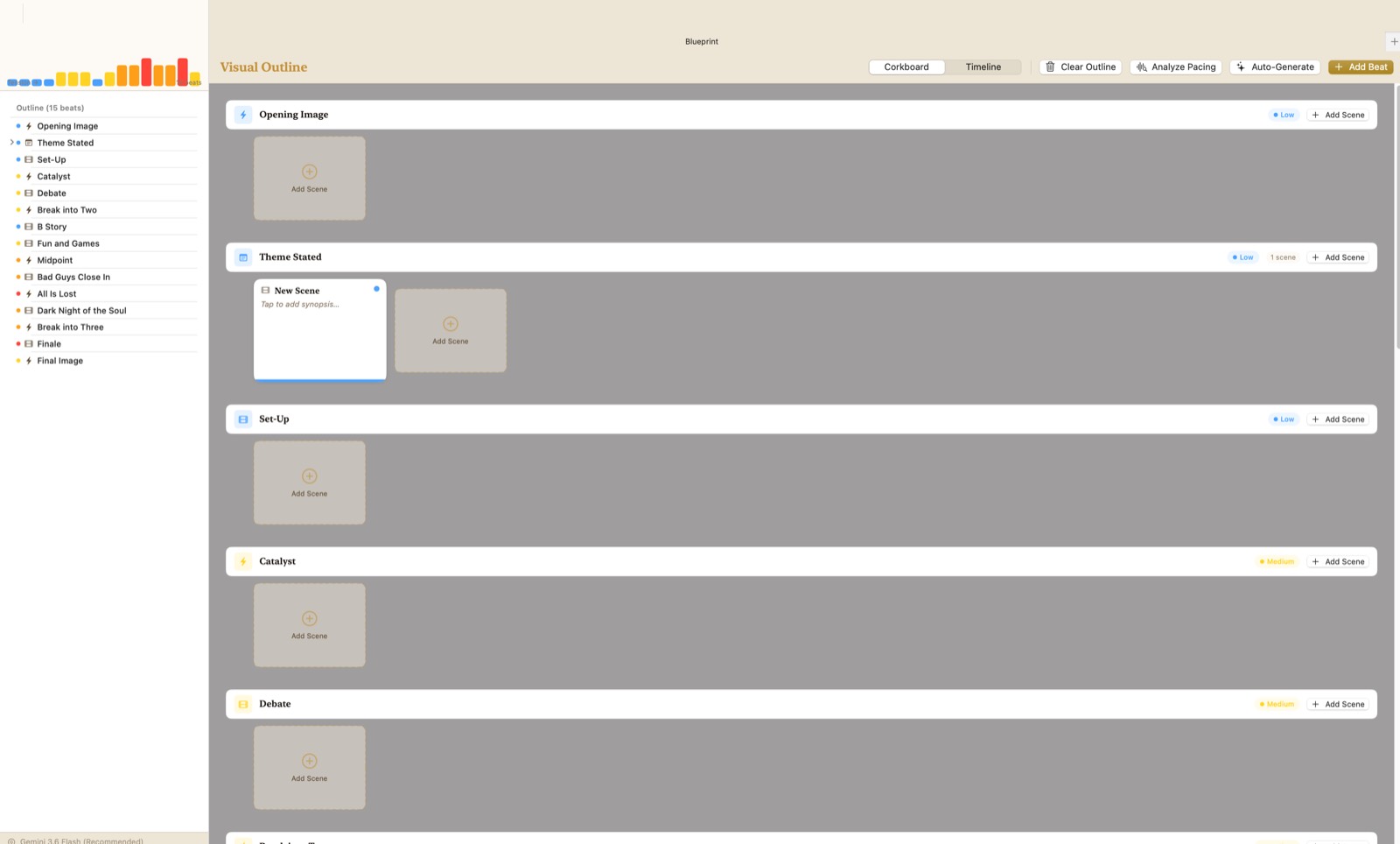
Blueprint is a beat board with nested items, POV assignment and drag-to-reorder. Scenes attach to beats, so the plan and the prose stay the same object.
- Subplots tracked across the whole manuscript
- Foreshadowing setups linked to their payoffs
- The full ten-step Snowflake Method, guided
Genre plugins
Only the sections your book needs
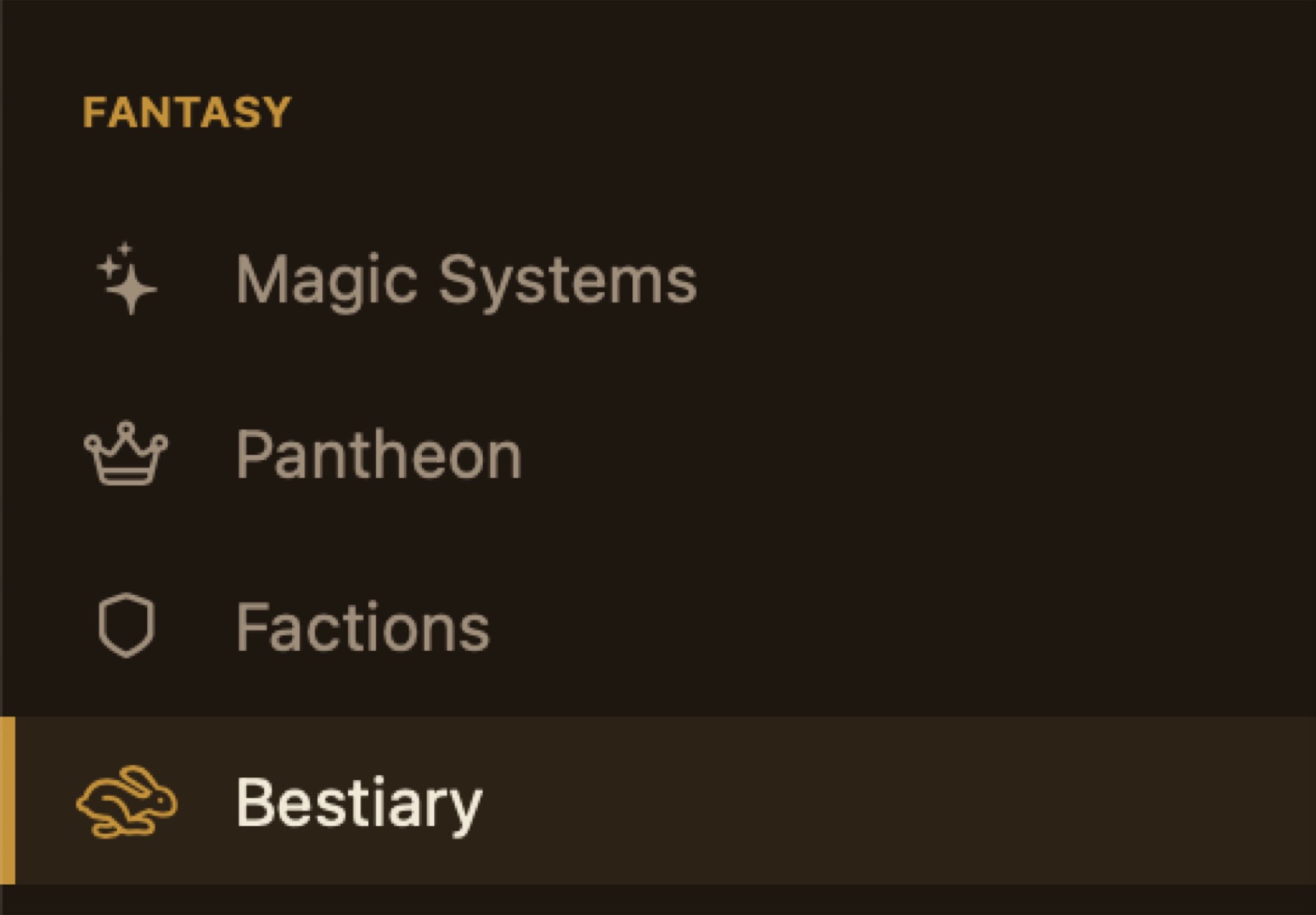
Write fantasy and you get magic systems, a pantheon, factions and a bestiary. Write science fiction and you get a technology registry, starships, and planets. Write general fiction and none of it clutters the sidebar.
Revision
Nothing you write is ever really gone.
Every scene keeps its own history automatically, and you can name a snapshot when a draft is worth marking. Compare any version against what's on the page now, and restore it if the earlier one was right.
More ways back than forward
- Version history ⌥⌘H — automatic snapshots plus named ones, compared side by side
- Scene comments ⌥⌘C — anchored to a quoted excerpt, so they survive reformatting and re-find themselves after edits
- Scene inspector ⌥⌘0 — summary, purpose, conflict, notes, tags and story date, feeding the timeline and POV tools
- Search and replace ⇧⌘F — across the whole manuscript, not one scene at a time
Artificial intelligence, on your terms
Bring your own key.
Google Gemini, Anthropic Claude, OpenAI or DeepSeek. Keys are stored in the macOS Keychain — never in a config file, never on our servers, because there are no servers. You pay your provider directly, at cost, with no subscription in between.
- Gemini
- Claude
- OpenAI
- DeepSeek
Every AI feature lives in one docked panel, so there's exactly one place to look. Writing, chapters, characters, the relationship graph and export all work without a key at all.
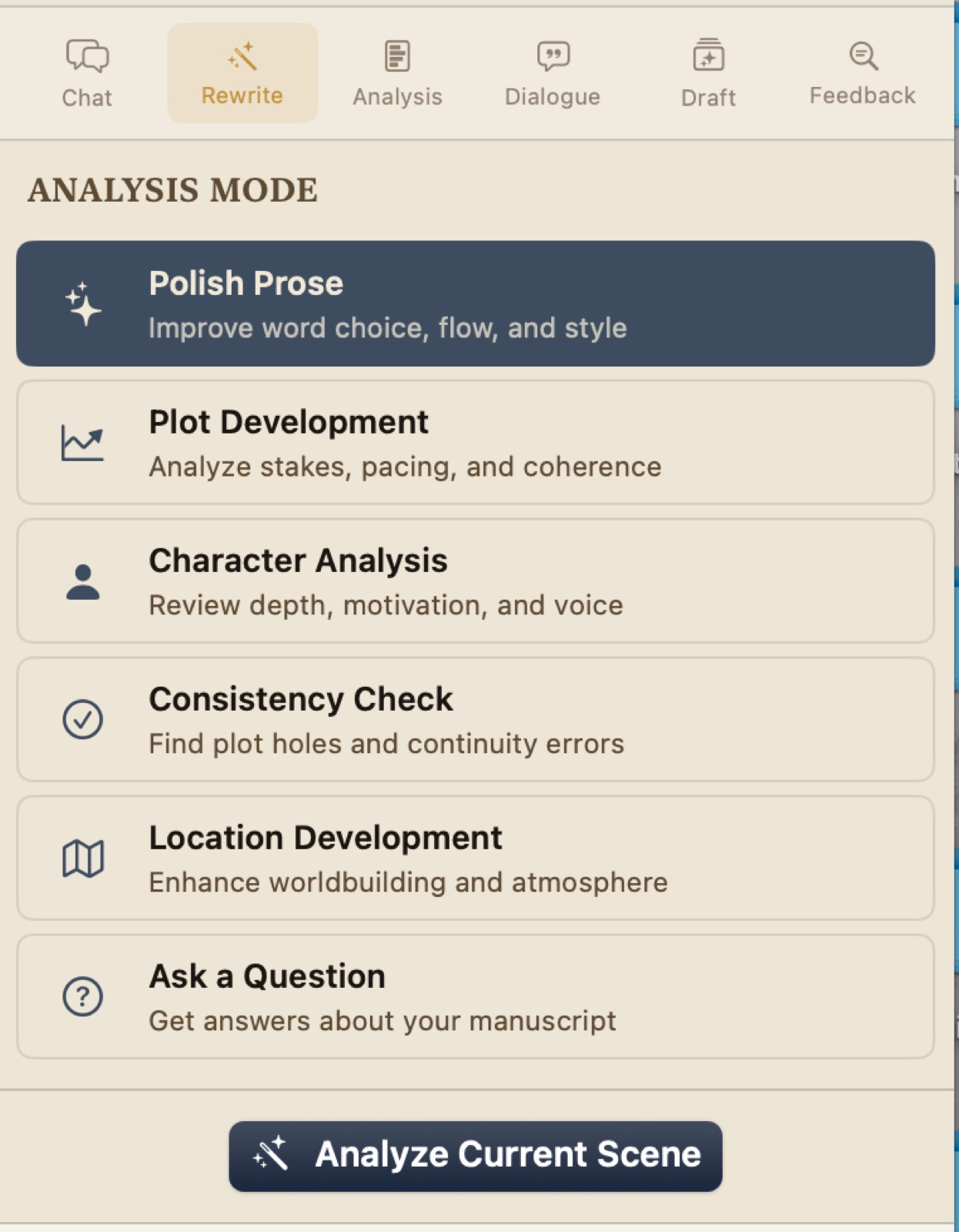
Chat
A conversation with your manuscript as context.
Rewrite
Refine or expand a passage you've selected.
Analysis
Continuity checks, chapter critique, pacing.
Dialogue
Lines in your characters' established voices.
Draft
A chapter drafted from your outline and prior context.
Feedback
Two drafts compared — what improved, and what was lost.
How it compares
Native, offline, and yours.
| Capability | Scrivener | Campfire | World Anvil | Novelcrafter | Atelier Studio |
|---|---|---|---|---|---|
| Platform | Mac / Win | Web | Web | Web | macOS native |
| Pricing | One-time | Subscription | Subscription | Subscription + API | One-time |
| Works offline | Yes | No | No | No | Yes |
| Account required | No | Yes | Yes | Yes | No |
| AI | None | Limited | Limited | Bring your own key | Bring your own key, 4 providers |
| POV knowledge tracking | No | No | No | No | Yes |
Your data
A file on your Mac, readable without us.
Your library is a SQLite database in your own user folder. If this app vanished tomorrow, your work is still readable with free tools.
Export anywhere
Word .docx in standard manuscript format for agents and editors,
plus PDF, Markdown and plain text.
Take the whole library
One command writes everything to a plain folder — Markdown for humans, your images, and the raw database for re-import. Read-only; it never touches your work.
Backups that keep themselves
Automatic timestamped snapshots with configurable retention, and a merge importer ⇧⌘I that dedupes by name instead of duplicating.
Start with a blank page.
Requires macOS 13.5 or later. Runs on Apple silicon and Intel.
This beta isn't notarised by Apple yet, so the first launch needs a right-click → Open. It ships with no API key and asks for no account.